



















Capture · Propose · Deliver · Close

The workbench for winning work and delivering it.

Qualify each bid, write the proposal from what your company knows, and run the win as a project with nothing re-filed.

01The workbench

The crew works where your team works.

Each member works inside the app it was added to and answers with citations. Before anything goes out, it waits for a person.

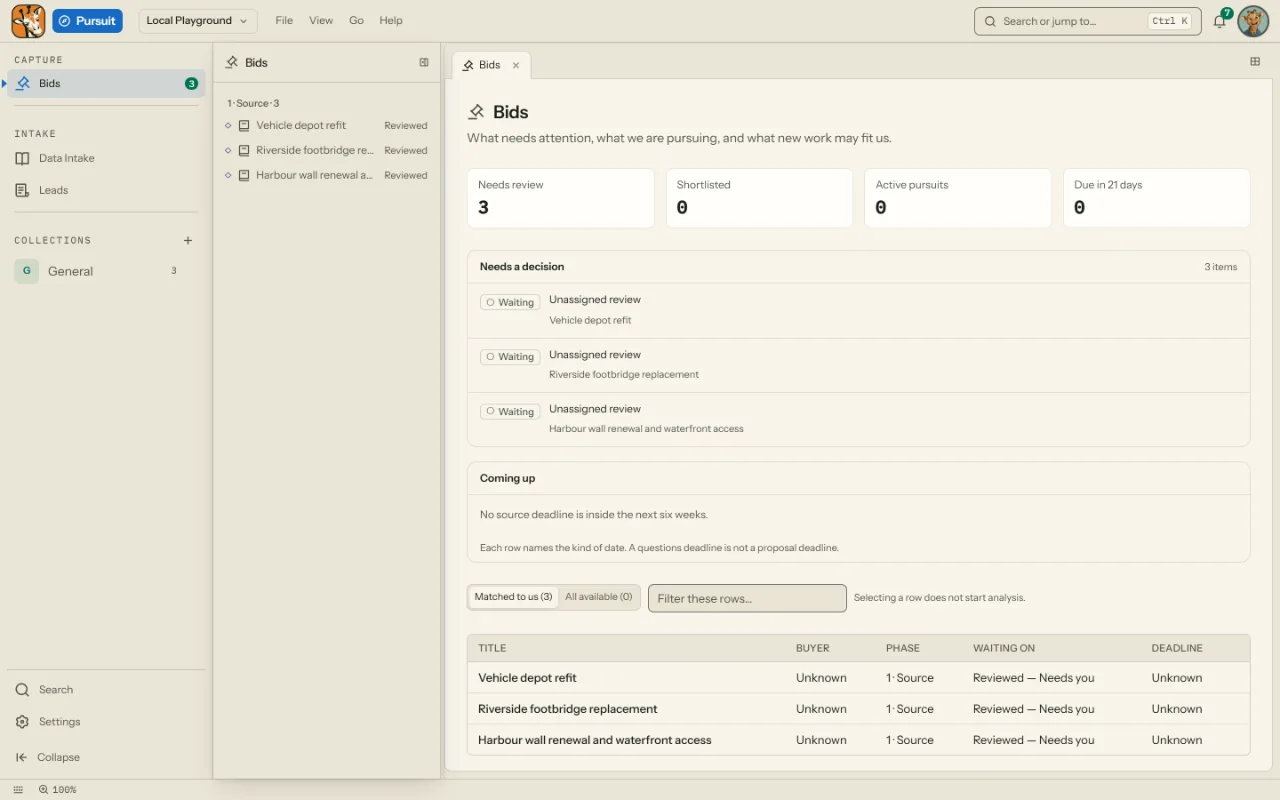
Pursuit's Bids view: the opportunities in review, each with its stage, owner and deadline.
Captured from Pursuit, over sample data.
  1. Scout Intake analystAnswered from the notice's files · 3 citations illustrative
  2. Quill Proposal writerAsked all its questions at once · waiting on you illustrative
  3. Cipher Compliance reviewerChecked against your review procedure · a person decides illustrative

02One bid, the whole way

From approval to archive, it stays one project.

01 Pursuit · intake

Scout reads it first.

Notices arrive from SAM.gov on each saved search's schedule, or you add them by hand, and they wait in one review queue. Approving one files the opportunity and its project together, so nothing is half-filed.

Scout answered from the notice's files, with citations.
The capture lead approves it.
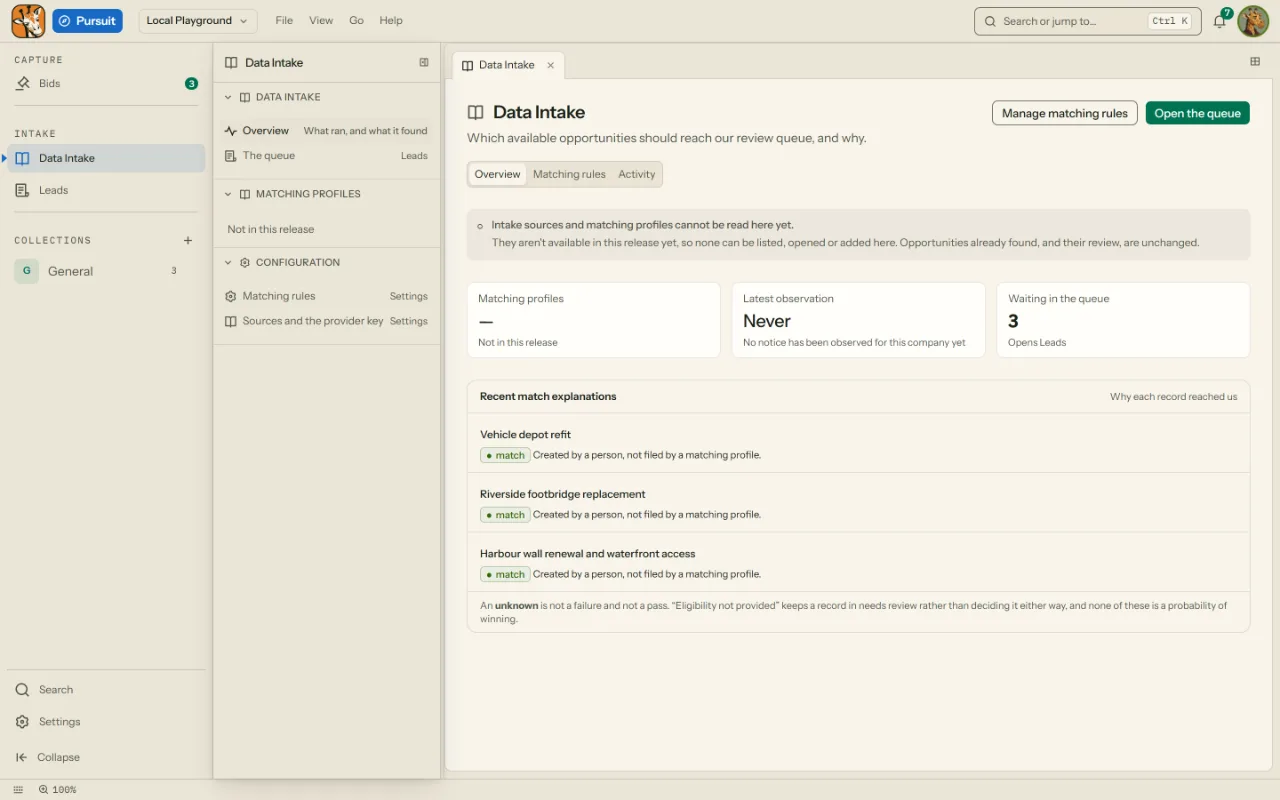
Pursuit's intake queue, where notices are reviewed before they become opportunities.

02 Pursuit · proposal

Quill asks once. You decide.

The pursuit room keeps the opportunity with its response settings, its lists and the proposal itself: an outline and a document for each section. The crew answers from your files with citations and asks before it acts. Your writers decide.

Quill asked all its questions in one interview.
The proposal manager answers and decides.

Pursuit's bids view with each opportunity's stage.

03 Projects

Atlas keeps it moving.

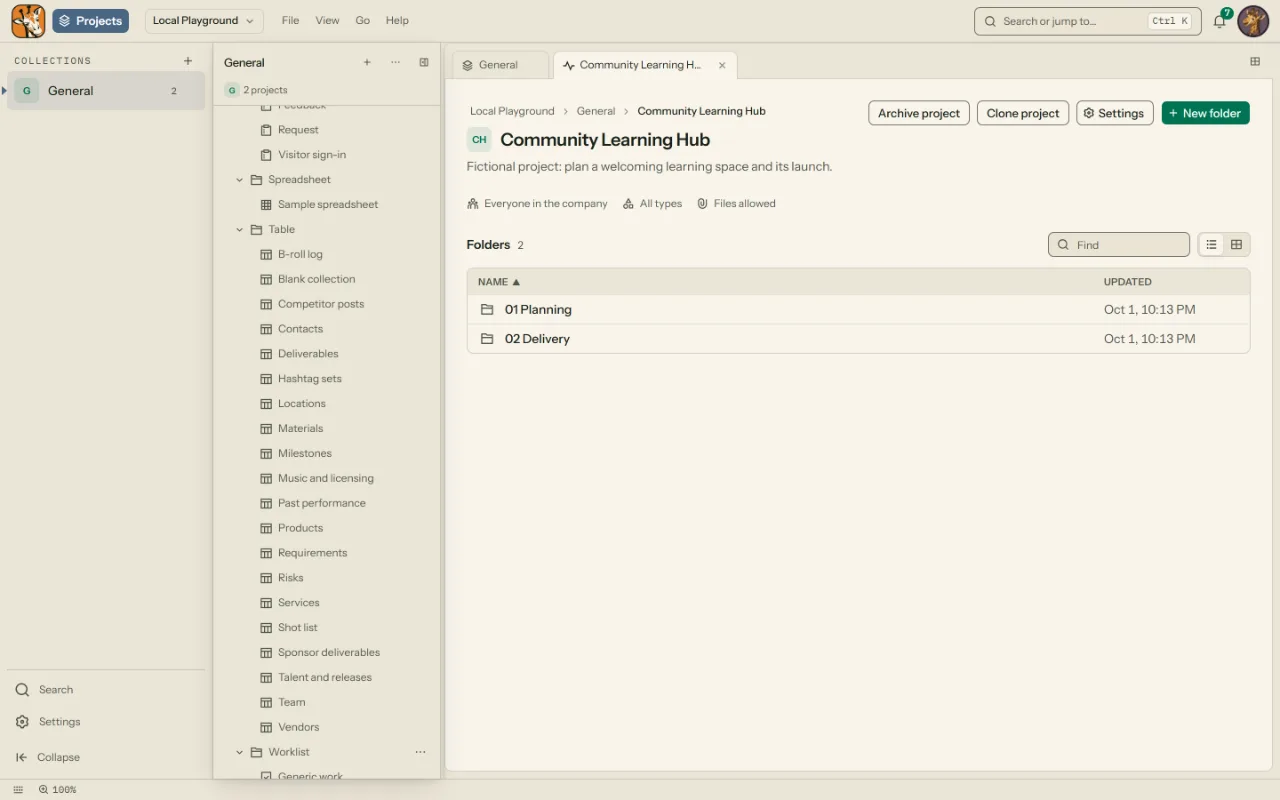
When the bid is won, the same project moves to Projects with its files, worklists, forms and agreements, and the team works it in its folders.

Atlas keeps a backlog the team can see.
The project lead runs the worklist.

A project in Projects, with its folders in the tree.

04 Projects · archive

Echo remembers who asked.

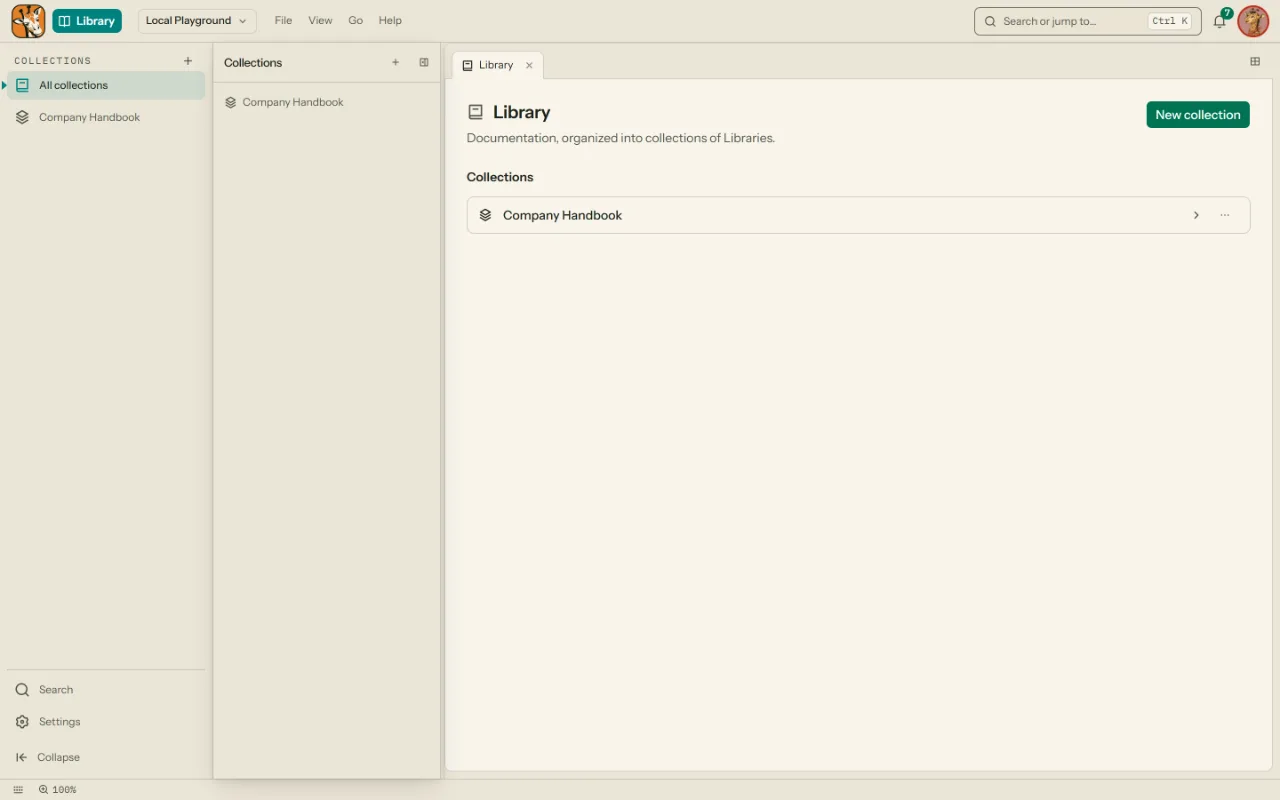
A finished project is archived, read-only and out of the active lists. What the team learned goes into the Library, where the next bid can cite it.

Echo keeps each run in its memory, with who asked.
The project lead archives the project.

The Library's collections, where what was learned is kept for the next bid.

04The crew

A crew you teach.

Each member follows the procedures you publish and answers from what you teach it. It remembers what you correct. Learning from the team is still being completed.

  • PixelPixelnotices the small things
  • TraceTracefollows every thread
  • AdaAdadesigns with intent
  • DashDashclears the path
  • A11yA11ymakes room for everyone
  • CipherCiphertrusts, then verifies
  • TempoTempokeeps the work on time
  • NorthNorthknows which way is true
  • EchoEcholistens before answering
  • QuillQuillmakes intent clear
  • BoltBoltkeeps things moving
  • LunaLunadoes her best work after dark
  • SprocketSprocketbuilds better tools
  • EmberEmberfinds another way
  • AtlasAtlassees the whole picture
  • PipPiplearns by doing
  • ScoutScoutgoes to look first
  • ZenZenmakes hard days calm
  • VegaVegamakes the numbers trustworthy
  • JinxJinxasks the awkward question
The ledgerillustrative
  1. 10:41Quill drafted technical volume §3.24 sources · awaiting approval
  2. 10:38Cipher checked section 3 against the matrix1 gap · filed
  3. 10:31Scout read RFP §L and §M42 requirements · filed for review
Knowledge
Taught from your Libraries, files, projects and notes. It answers with citations, so the team can check it.
Memory
Each member keeps its own memory: every run, who asked, and the notes and corrections you give it. You can search it, restrict it, or make it forget.
Skills
Procedures and guidelines you publish: how you qualify a lead, how you review a section. It follows them, and asks a person when a step needs one.

05Where it runs

Yours, wherever it runs.

Run it on Jeeraph cloud or in your own cloud. Either way, nothing is sent without a person.

How security works
  • Where it runs

    Your cloud or ours

    Accounts belong to the server your people sign in to, with no separate Jeeraph account service in between.

  • Your people

    Each sees what they were given

    Access is set at the collection and can only be narrowed below it. The server checks every request.

  • Budgeted AI

    AI spend has a ceiling

    Every model call reserves its budget before it runs and stops at the limit you set. With no budget, nothing runs.

  • Sources

    Answers show where they came from

    The crew cites the file or Page behind each answer. A figure the product cannot support is not shown.

See it before you decide.

Book thirty minutes with the people who build it, or ask Jeeraph and see the real screen as it answers.